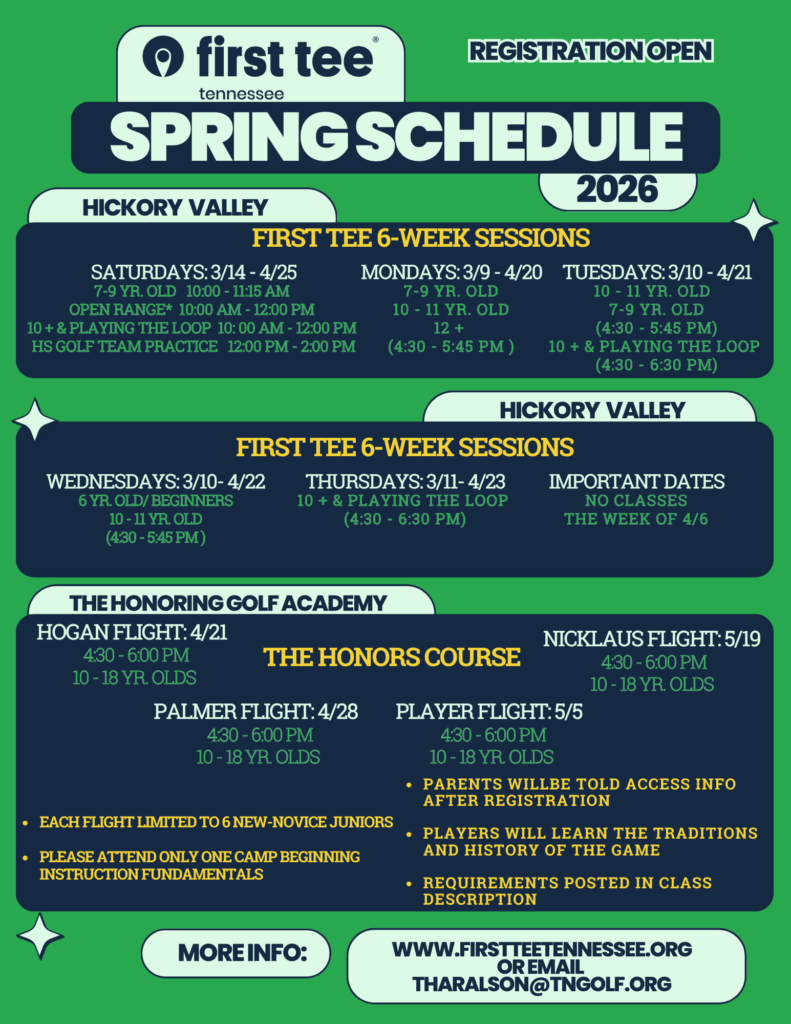
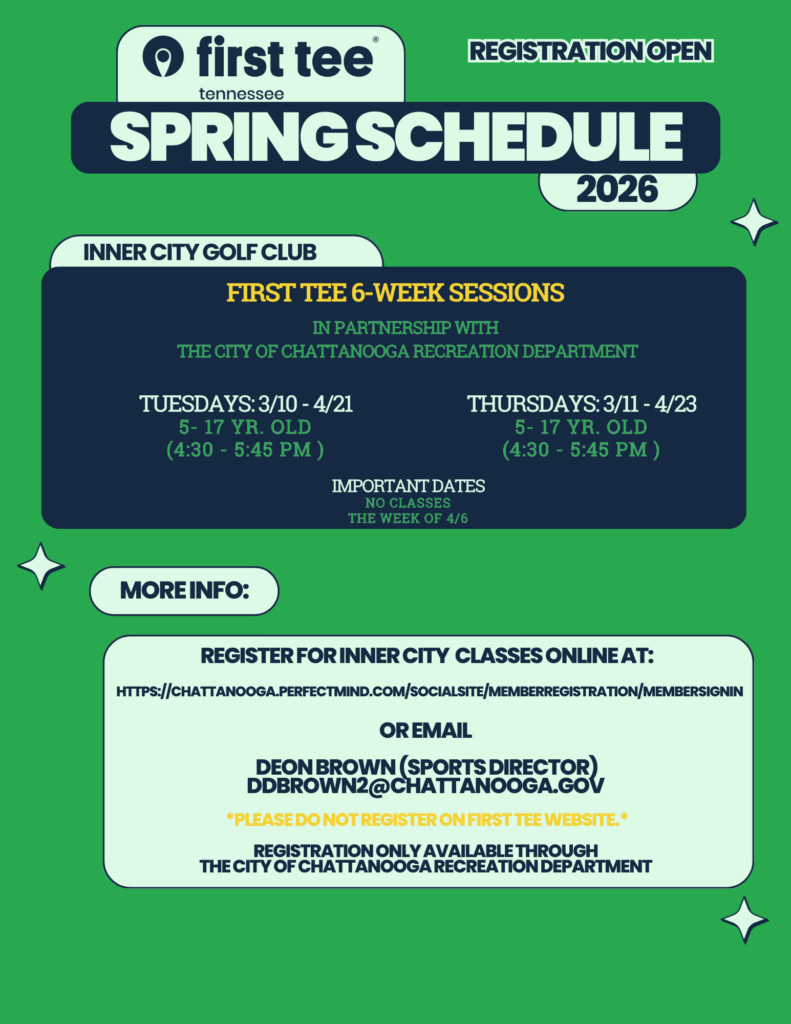
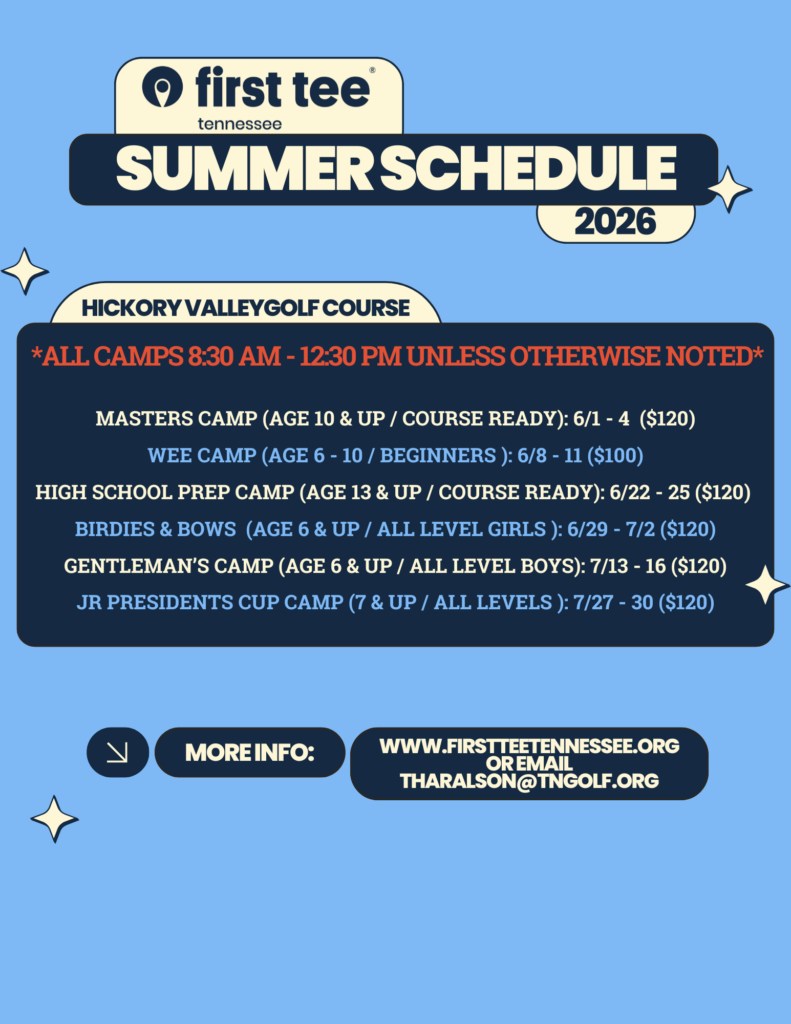
How to Register
Step 1: Click Link https://firsttee.my.site.com/parentRegistration/s/?language=en_US&website=www.firstteetennessee.org
- Create a primary account with parent/guardian information.
- Accept the Privacy Policy and hit “Enter” on your keyboard.
- Once logged in, you will be on the “Curriculum & Events” page.
- Look for “For participant” and select “Choose one” to begin adding your child(ren).
- After your children have been added, Use the filter option to
find the classes you wish to register your child(ren). - You must select the participant before to can add the class to your cart.
Please check back frequently as the schedule is updated periodically.


Questions or concerns?
Tim Haralson, Program Director